
With the Sync Tool work offline work locally
Synchronize your files on all your devices.
Always at hand and up to date.
Online in your cloud. Compatible with Android and iOS.
The Sync Tool at a glance
Ensure a flexible and efficient workflow with our Sync Tool.

Work Offline
Work locally on your synchronized documents even without an internet connection.
Settings
You can decide whether your users are allowed to save the data locally.
Continuous Synchronization
The Sync Tool automatically and constantly synchronizes all changes.
Selective Synchronization
You can select which folders you want to save locally; you can adjust this at any time.
Easy Installation
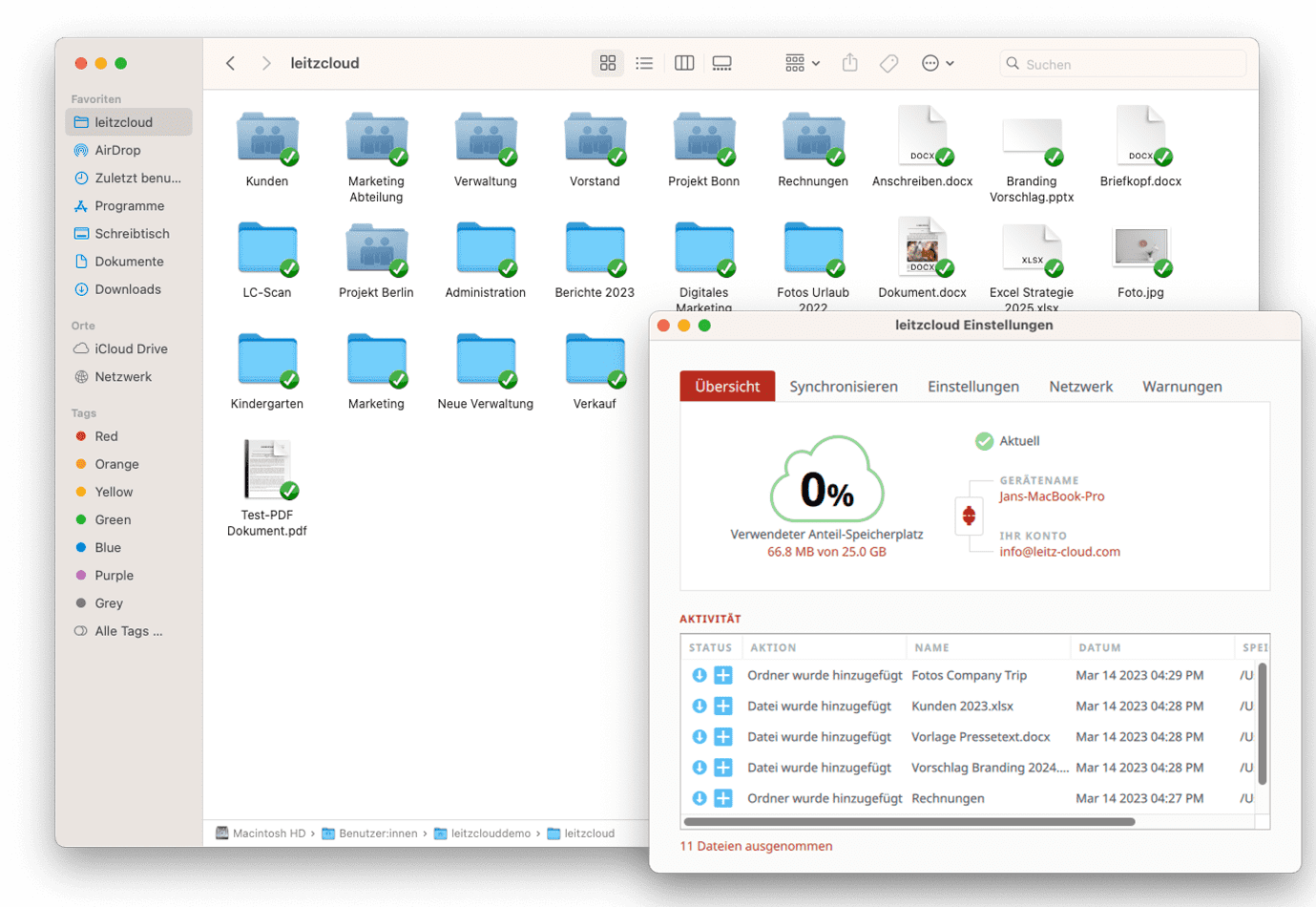
After installing the Sync Tool, a folder area is automatically created where you can find and edit all your synchronized files.
Work Locally
Thanks to the Sync Tool, you can also access your documents locally. Open files flexibly and easily in the usual editor.
leitzcloud on the go
Whether in the office, on the go, or at home - with the Sync Tool, you always have your documents at hand.
Sync Tool
With the Sync Tool, you can download your complete folder structure in the cloud to your PC and laptop. However, you also have the option of only saving certain folders locally.
leitzcloud Apps
With our mobile leitzcloud apps for iOS and Android, you always have full access to your cloud on the go. You can also edit, share, and upload documents in the leitzcloud app, even offline.
Test leitzcloud now!
Now you can easily test all functions of leitzcloud for 14 days free of charge.
Our Sync Tool can do even more!
Choose leitzcloud and enjoy these advantages!
Unlimited number of devices
We promise you that you will have access to your data from anywhere. Download our Sync Tool & our mobile leitzcloud apps on an unlimited number of devices now!
WebDAV Connection
leitzcloud supports access via WebDAV, an extension of the HTTP protocol. WebDAV is an alternative way for users to view and edit documents.
Remote deletion
With one click, you can disconnect the synchronization between the cloud and a connected device. You can also decide whether the files should be deleted. This way, you will not experience any data leaks if the device is lost.
NAS server
Do you use a data server and want to synchronize it with the cloud? Connect your server to leitzcloud and additionally secure your data locally in your network.

Collaboration
If you edit a document in the integrated web editor, the document is automatically saved and synchronized, so you can work on a document simultaneously with colleagues or guests.
Enjoy the advantages of leitzcloud now!